Laptop Battery Not Charging Properly? I’ve been there, and after trying a lot of fixes, here’s what actually helps. The battery usually hits when you’re already busy. Everything’s connected, the charger is in place, and you’re not expecting any trouble.
Then you glance down at the battery icon and realize it hasn’t moved. At first, you think it’s just slow… Maybe it’ll start charging in a minute. But, it doesn’t.
If your laptop battery isn’t charging properly, don’t jump straight to the thought that “my laptop battery is dead.” That’s the most common guess, and in all conscience, it’s wrong more often than it’s right.
I’ve dealt with this issue more times than I’d like to admit, on different laptops, different brands, and different years. And most of the time, the fix had nothing to do with replacing the battery.
Before Anything Else, Slow Down a Bit
When something stops charging, the reaction is to panic. But laptop charging problems are not often dramatic failures. They’re usually small, annoying things hiding in plain sight.
So, before you spend money or visit a service center, here are the things you need to consider checking.
Check the Charger First
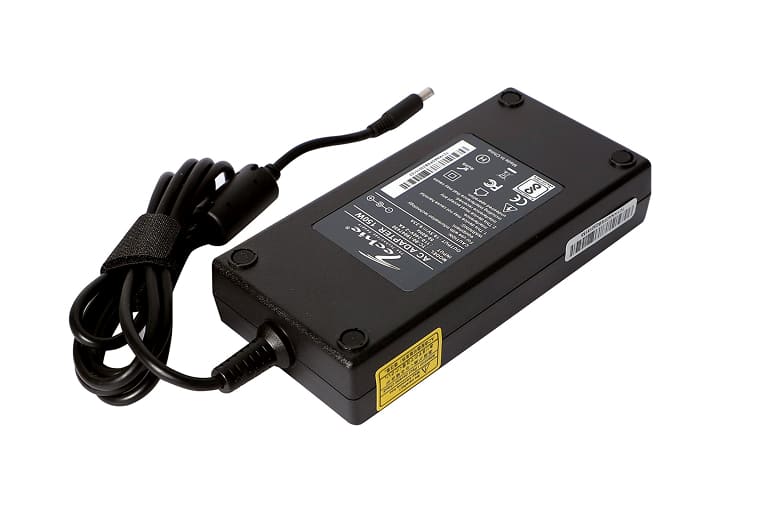
It is always a good idea to start checking with the charger. A lot of the time, that’s where the issue ends up being. It can look completely fine too – no visible damage or anything obvious. But the part near the connector bends every single day, and over time, that wear starts to show – just not where you can see it. Eventually, it gives up.
If your laptop only charges when:
- the wire is held a certain way, or
- the plug is pushed slightly to one side, or
- you don’t touch the cable at all
that’s not the laptop’s fault. That’s the charger quietly dying. Also, feel the adapter. If it’s warm, it is normal. But if it is uncomfortably hot, then not.
Charging Ports Collect More Dirt Than You Think
This one surprised me the first time.
Laptop charging ports are basically dust magnets. Laptops that get used and moved around a lot naturally gather dust over time. When that happens inside the charging port, charging becomes erratic. It connects, drops, reconnects, and the battery just stays stuck.
And if the plug feels loose, that’s usually a sign that something isn’t quite right.
Restarting Isn’t Enough! Consider Power Reset

Most people restart their laptop and call it troubleshooting. Sometimes that works. Often, it doesn’t. A proper power reset clears the leftover electrical charge that messes with charging.
It’s simple, takes less than a minute, and feels almost too basic to matter. But it does. I’ve fixed “plugged in, not charging” issues this way more than once, especially on older laptops.
Sometimes Your Laptop Is Choosing Not to Charge
This is where people get confused. Modern laptops try to protect battery health. That means they don’t always charge to 100%. Some stop at 80%. Some pause charging randomly when plugged in for long periods. So yes, your laptop might say it’s plugged in and still refuse to charge.
Not because it’s broken. Because it thinks it’s being smart. If you’ve never checked battery or power settings before, now’s a good time.
Software Can Be a Culprit

Battery issues don’t always come from hardware. Sometimes an update messes with power management. Sometimes the system just glitches. You don’t need to understand drivers deeply to fix this. Removing and letting the system reinstall them after a restart often clears charging problems that seem stubborn for no obvious reason. It feels like cheating when it works.
Heat Changes Everything

Here’s something people underestimate: laptops stop charging when they’re too hot. Not always. Not every time. But often enough.
If your laptop starts getting loud and warm and then refuses to charge, it’s probably not a coincidence.
Letting it cool down for a while is often enough to get it charging back to normal. So, stop pushing it for a while. Charging usually resumes once temperatures normalize.
If You Can, Try Using Another Charger
This is the fastest way to confirm a lot of guesses. Borrow a compatible charger. But make sure it is of the same voltage and same wattage. If the battery suddenly starts charging normally, you’ve just saved yourself hours of futile troubleshooting.
Updates Matter
System updates don’t just add features. They fix background issues, including charging actions.
If your laptop started acting strange after an update, or hasn’t been updated in months, that’s worth addressing. Power management bugs are real, and manufacturers do patch them.
And Yes… Sometimes the Battery Is Just Done
Batteries don’t last forever. If your laptop is a few years old and:
- drains quickly
- shuts down randomly
- only works while plugged in,
then replacing the battery might be the right call.
Final Thoughts
Charging problems can feel stressful at first. But in many cases, the reason ends up being something simple that’s easy to miss. Checking things slowly makes more sense than jumping straight to the worst conclusion. And if you do end up replacing something, at least you’ll know you tried the sensible fixes first.